How to Use DieHard Battery Charger: Step by Step Guide
Dealing with a dead or weak car battery can be frustrating and stressful, especially when you’re in a hurry or stuck somewhere. Many people struggle with figuring out the best way to recharge their batteries safely and effectively.
If you’re looking for a reliable solution, a DieHard Battery Charger might just be what you need.
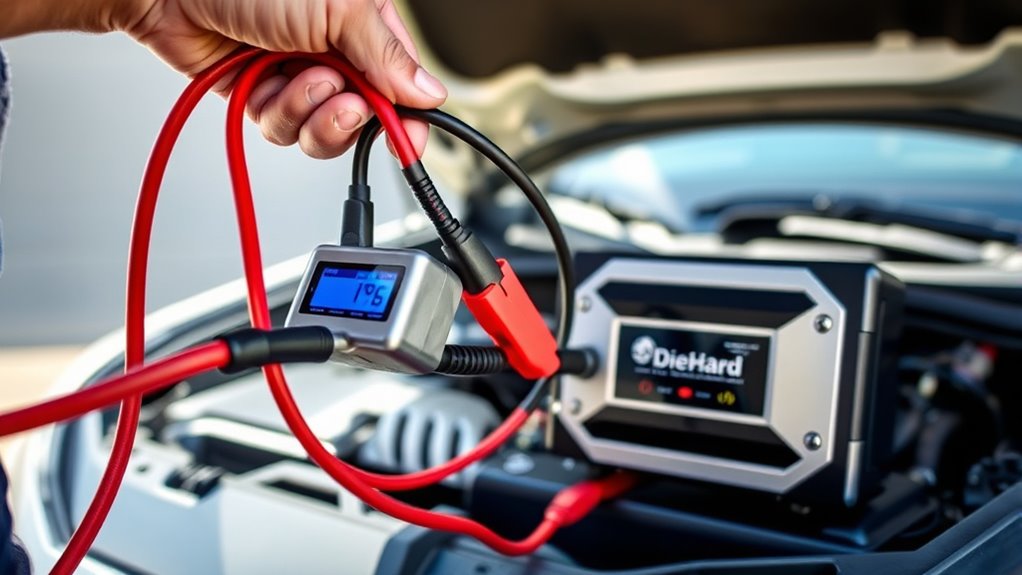
To use your DieHard Battery Charger, first make certain your vehicle is off and parked on a level surface. Connect the red clamp to the positive terminal and the black clamp to the vehicle’s chassis, avoiding the battery itself.
Choose the appropriate charging mode, then turn on the charger.
When finished, turn off the charger before disconnecting the cables in reverse order. Proper setup and safe disconnection are essential.
Keep going to learn detailed steps and tips for best results.
Key Takeaways
- Ensure the vehicle is off, parked on a level surface, and check the batteries for any damage before you connect the charger.
- Connect the red clamp to the battery’s positive terminal. Then, attach the black clamp to the vehicle chassis.
- Turn on the charger once you’ve confirmed the connections are correct and select the right charging mode.
- Keep an eye on the charging process and wait until the charger shows that the battery is fully charged.
- Finally, turn off the charger, unplug it, and carefully disconnect the clamps in the proper order.
What to Do When Your Car Battery Dies
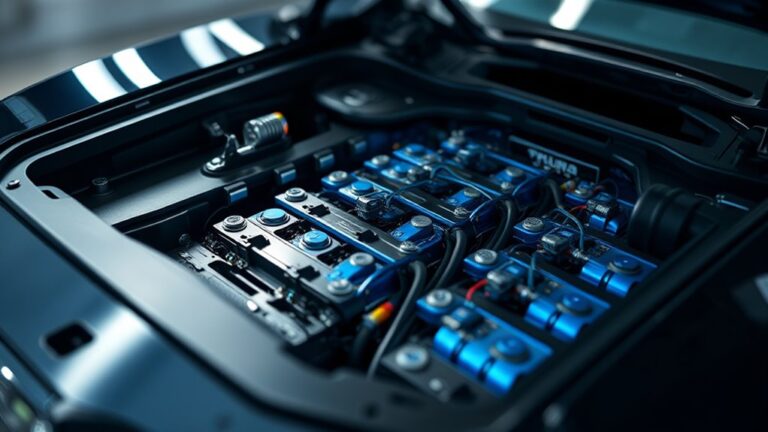
When your car battery dies, the first thing to do is stay calm and assess the situation. Don’t panic; instead, check for signs of battery failure like dim headlights or slow engine cranking.
Good battery maintenance can prevent surprises, so regular checks are really important. If you’re prepared with an emergency kit, you’ll have jumper cables or a portable charger ready to go.
Regular battery checks and an emergency kit help prevent surprises and keep you prepared.
Make sure you’re safe first—try to move your vehicle to a safe spot if you can. If you’re comfortable, attempt to jump-start the car using another vehicle or a portable charger.
If those options aren’t available, don’t hesitate to call roadside assistance. Being prepared makes handling dead batteries much easier and less stressful.
Once your car is running again, it’s a good idea to inspect and maintain your battery to avoid future issues. Proper maintenance and emergency preparedness can save you time, money, and hassle during unexpected breakdowns.
How Does the DieHard Battery Charger Work?
A DieHard battery charger works by supplying a controlled flow of electrical energy to restore your vehicle’s battery to a full charge. It uses advanced battery technology to monitor and adjust the charging process, preventing overcharging or damage.
The charger features include multiple modes, like trickle charge or rapid charge, which adapt to your battery’s needs. When connected, the charger carefully assesses the battery’s condition and then delivers power accordingly, ensuring a safe and efficient recharge.
| Charger Feature | Benefit |
|---|---|
| Automatic shut-off | Prevents overcharging and battery damage |
| Multiple charging modes | Provides flexibility for different battery types |
| Voltage regulation | Maintains consistent power flow |
| Safety features | Protects you during operation |
This combination of smart features makes the DieHard charger reliable and user-friendly. It works seamlessly with modern battery technology to keep your vehicle running smoothly.
How to Prepare Your Vehicle and Charger for a Jump-Start
Before connecting your charger, make sure both vehicles are turned off and parked on a level surface. This helps keep things stable and reduces the chance of accidents.
Check that the vehicles are in neutral or park, and remove any metal jewelry or loose clothing to avoid sparks. Also, inspect the batteries for cracks, leaks, or corrosion. If you see any issues, address them before moving on.
Make sure the battery terminals are clean and tightly connected. Confirm your DieHard charger is unplugged and set to the right mode for jump-starting.
Position the vehicles close enough for the jumper cables to reach both batteries comfortably, but avoid letting them touch. Following these steps keeps everyone safe and makes the jump-start process smooth and effective.
Proper preparation helps prevent hazards and protects your vehicle and charger. Always prioritize safety to avoid damage or injury during the process.
How to Connect Your DieHard Charger Safely
Start by turning off both vehicles and unplugging the charger. This guarantees safety precautions are in place before making any connections.
First, verify that your charger is compatible with your battery. Using an incompatible charger can cause damage or safety hazards.
Once confirmed, connect the positive (red) clamp to the positive terminal of the dead battery. Then attach the negative (black) clamp to the vehicle’s chassis or a solid ground point away from the battery.
Avoid placing the negative clamp directly on the battery’s negative terminal. This reduces the risk of sparks.
Double-check that the clamps are secure and not touching each other. Always read the manufacturer’s instructions for your specific DieHard charger model to prevent mishandling.
Proper connection minimizes electrical hazards and ensures the charging process starts safely and effectively.
How to Pick the Right Charging Mode and Settings
Selecting the correct charging mode and settings on your DieHard charger guarantees your battery receives the right care and avoids potential damage.
First, identify your battery type—whether it’s a standard lead-acid, AGM, or gel battery—as this determines which charging modes are suitable. Use the charger’s options to select the appropriate charging mode, such as slow, fast, or maintenance.
For most batteries, the ideal settings involve a slow or maintenance mode, which provides a gentle charge that prolongs battery life. If you’re charging a deeply discharged or damaged battery, a specialized mode may be necessary.
Always refer to the battery manufacturer’s recommendations to choose the right mode. Adjust the settings accordingly, making sure the voltage and amperage match your battery’s specifications.
Correctly selecting the charging mode and settings guarantees safe, efficient charging, and helps maximize your battery’s lifespan.
What to Expect During Charging and How to Monitor Progress
As the charging process begins, you’ll see various indicators on the charger that give you real-time updates on its progress. These signals show different stages like initial charging, steady charging, and when it’s complete.
Keep an eye on these signals to understand how your battery is responding. During charging, the indicators might fluctuate a bit, showing the current flow and the battery’s health status.
A steady or blinking light usually means the charger is working properly, but warning alerts could indicate issues with the battery or connections. Monitoring these indicators helps you estimate how much longer the charge will take.
Many chargers also provide information about your battery’s health, alerting you to potential problems like sulfation or reduced capacity. By paying attention to these visual cues, you ensure safe, effective charging and get a better idea of your battery’s overall condition.
How to Disconnect Your Charger Safely
Sure! Here’s a more conversational version of the instructions:
When you’re ready to disconnect your charger, the first thing you want to do is turn off the power supply. This helps keep everything safe and prevents any electrical accidents. Once that’s done, gently remove the charging cables from the battery terminals. Just be careful not to touch both clamps at the same time—that can be risky. After you’ve disconnected everything, make sure to store your charger in a dry, secure spot so it’s ready for next time.
Turn Off Power Supply
Before disconnecting your charger, make sure the power supply is turned off to avoid electrical hazards. Confirming that the power source is completely off is a key safety step.
This helps protect you from shocks and damage to your equipment. To do this, turn off the main circuit breaker or unplug the charger from the outlet.
Use the table below as a quick visual guide:
| Step | Action | Purpose |
|---|---|---|
| 1 | Turn off the power source | Prevent electrical hazards |
| 2 | Confirm power is off | Ensure safety precautions |
| 3 | Unplug the charger | Safely remove the power supply |
| 4 | Wait briefly | Let residual power dissipate |
| 5 | Proceed to disconnect | Complete the safe disconnection |
Following these steps ensures a safe and effective process.
Remove Charging Cables
Once you’ve confirmed that the power supply is turned off and safely unplugged, it’s time to remove the charging cables from your battery. Follow proper safety precautions to prevent sparks or damage.
Carefully grip the cable clamps, starting with the negative terminal, then the positive. Always remove cables in a sequence that minimizes risk.
Use good cable management techniques to keep cords organized and avoid tangling. Keep the cables away from moving parts or hot surfaces.
Double-check that no wires are still connected before storing or closing the hood. Proper cable management not only guarantees safety but also helps prolong the life of your charger and cables.
Always prioritize safety precautions to prevent accidents during this step.
Store Charger Properly
After disconnecting the charging cables, make sure the charger is turned off and unplugged from the power source. Proper charger storage is essential to guarantee safety and prolong its lifespan.
Store your charger in a cool, dry place away from direct sunlight and moisture. Keep it on a stable surface to prevent accidental falls or damage.
Avoid wrapping the power cord tightly or tangling it, as this can cause wear over time. If your charger has a dedicated storage compartment or case, use it to protect it from dust and debris.
Confirming the charger is stored in ideal conditions helps maintain its functionality and readiness for future use. Proper storage is a simple step that extends your device’s life and keeps your workspace organized.
Troubleshooting Common DieHard Charger Problems
If your DieHard charger isn’t working properly, figuring out the problem quickly can save you time and frustration. Common issues usually involve a charger error or poor battery connections. First, check the connections to make sure they’re secure and free of corrosion. A loose or dirty connection can stop the charging process.
If the charger shows an error code, look it up in the manual to understand what it means and follow the recommended steps. Here are some troubleshooting tips:
- Make sure the power cord is plugged in correctly.
- Check the battery terminals for corrosion or damage.
- Reset the charger by unplugging it, waiting a few moments, then plugging it back in.
- Try using a different power outlet.
- Ensure the battery isn’t frozen or damaged.
Fixing these issues quickly helps keep your charger working well and your battery in good shape.
Maintaining Your Battery Charger for Long-Term Use
To keep your DieHard battery charger working well over time, regular maintenance is key. Proper upkeep makes sure your charger stays reliable, its battery lasts longer, and it performs at its best.
Start by checking cables and connectors for wear or corrosion. Clean them with a dry cloth if needed to keep connections solid and safe. Store the charger in a cool, dry place away from direct sunlight to prevent damage.
Follow these simple tips to help your charger last longer:
| Maintenance Tip | Benefit |
|---|---|
| Check for corrosion | Prevents poor connections and keeps it safe |
| Store in a dry area | Extends the life of your device |
| Inspect cables regularly | Avoids electrical problems |
| Keep vents clean | Helps keep it cool and working efficiently |
Doing these things regularly helps you avoid costly repairs and keeps your charger ready when you need it. Staying proactive with maintenance protects your investment and ensures your charger performs reliably every time.
When to Seek Professional Help for Battery or Charging Issues
While many battery or charging problems can be fixed with simple troubleshooting, you should see a professional if issues keep happening despite your efforts. If you’ve tried basic battery maintenance tips and still face problems, it might be time to consider replacing the battery.
Watch for signs that mean you should get a professional assessment. For example, if your battery is slow to charge or keeps dying quickly, those are red flags.
You should seek expert help if you notice your battery won’t hold a charge despite proper care, or if there’s corrosion or damage on the terminals. Swelling or leaks from the battery are also serious signs you need help.
Unusual error codes or inconsistent behavior from the charger are clues that something’s wrong. And if replacing the battery regularly doesn’t fix the issue, it’s time to get a professional opinion.
Addressing these signs early can help prevent further damage and keep your vehicle safe and reliable. When in doubt, consulting a professional ensures you get an accurate diagnosis and proper maintenance tips to extend your battery’s life.
Frequently Asked Questions
Can I Use the Diehard Charger for Batteries Other Than Car Batteries?
Yes, you can use the DieHard charger for batteries other than car batteries, but you should check if the battery is compatible first. The charger types vary, so make sure it’s suitable for the specific battery you’re charging, like marine or motorcycle batteries.
Always read the manufacturer’s guidelines to avoid any damage. Using the right charger for your battery helps ensure safe, efficient charging and can help extend your battery’s lifespan.
How Long Should I Leave the Charger Connected for a Full Charge?
While patience is a virtue, you’ll want to avoid the allure of overindulgence. For a full charge, leave your DieHard charger connected until the charging indicator signals it’s done.
This usually takes around 8 to 24 hours, depending on your battery’s capacity. Bigger batteries need more time, so keep an eye on the process to prevent overcharging.
Trust the charger’s cues, and your battery will thank you with reliable performance.
Is It Safe to Leave the Charger Unattended During Charging?
It’s generally safe to leave your DieHard battery charger unattended during charging if you follow safety precautions. Modern chargers have automatic shutoff and safety features that prevent overcharging, helping with proper battery care.
Just make sure your charger is on a stable, non-flammable surface, and check on it periodically. Never leave it unattended for long periods without inspecting it, especially if you’re unsure about the safety features.
What Safety Precautions Should I Take When Using the Charger in Cold Weather?
In cold weather, you should take extra safety precautions when using your DieHard battery charger. Keep the charger and battery in a warm, dry place to prevent cold-related issues.
Use cold weather tips like ensuring proper insulation and avoiding charging in snow or rain. Regular battery maintenance is essential because cold temperatures can reduce battery efficiency.
Always wear gloves and eye protection to stay safe during charging in low temperatures.
How Do I Store the Charger When Not in Use?
When you’re not using your DieHard battery charger, store it in a cool, dry place away from direct sunlight.
Make sure to unplug it and check the cords and connectors for any damage. This helps keep everything in good condition.
Keep the charger upright and in a clean area to prevent dust buildup. Proper storage keeps your charger ready to go whenever you need it.
Conclusion
Knowing how to properly use your DieHard battery charger can save you time and stress when your car won’t start. With over 80% of vehicle breakdowns caused by battery issues, being prepared is essential.
By following these steps, you’ll confidently jump-start your car and keep your battery healthy. Regular maintenance can extend your battery’s life by up to 50%, giving you peace of mind on the road and helping you avoid unexpected breakdowns.
Mastering the use of your DieHard battery charger is a simple way to stay ahead of car troubles and ensure your vehicle runs smoothly.