How to Use Cen Tech Battery Charger: Step by Step Guide
Many people struggle with keeping their batteries charged and ready to go, especially when unexpected issues pop up. If you’ve ever been caught off guard by a dead battery, you’re not alone.
Luckily, a reliable Cen Tech Battery Charger can make all the difference in getting your vehicle or equipment back on track.
To use your Cen Tech Battery Charger, first inspect both the charger and battery for damage, then connect the clamps—positive first, negative second—while wearing safety gear.
Turn on the charger, select the appropriate mode based on your battery type and capacity, and monitor the indicator lights for progress. Keep an eye on the process to avoid overcharging and ensure safety.
For detailed steps on ideal use and maintenance tips, continue exploring.
Key Takeaways
- Before connecting, check both the charger and the battery for any damage.
- Attach the positive (red) clamp first, then the negative (black), making sure they’re secure.
- Choose the right charging mode based on your battery type and capacity.
- Keep an eye on the indicator lights to see how the charging is going and to prevent overcharging.
- Once the battery is fully charged, disconnect it and unplug the charger.
What Is the Cen Tech Battery Charger and How Does It Work?
The Cen Tech Battery Charger is a versatile device designed to recharge various types of batteries efficiently. It supports different battery sizes and chemistries, making it essential for proper battery maintenance.
When you connect your battery to the charger, it detects the voltage and adjusts the charging process accordingly. This helps optimize charging, ensuring your battery gets the right amount of power without overcharging.
The charger’s design makes it easy to monitor the charging status so you know when your battery is ready. Using it regularly can help extend your battery’s lifespan and keep its performance top-notch.
The easy-to-monitor design helps extend battery life and maintain peak performance.
Its automatic shutoff feature prevents overcharging, which is crucial for battery health. Overall, the Cen Tech Battery Charger simplifies charging, improves efficiency, and promotes good battery care habits.
This makes it a reliable tool for keeping your batteries in the best condition possible.
Preparing Your Cen Tech Battery Charger and Battery for Safe Charging
Before you start charging, take a moment to inspect both your Cen Tech Battery Charger and the battery.
Check the charger for any visible damage, loose wires, or debris, and make sure it’s clean.
Examine the battery for cracks, leaks, or corrosion, as these can pose safety risks.
Knowing your battery types is important because different batteries—like lead-acid, lithium-ion, or NiMH—have specific charging safety needs.
Make sure your battery matches the charger’s compatible battery types to prevent accidents.
Confirm that the charger is plugged into a grounded outlet and that the power switch is off before connecting the battery.
Proper preparation helps minimize risks such as overheating, sparks, or short circuits.
Taking these initial steps ensures safe, effective charging and protects you and your equipment from hazards.
Always prioritize safety by thoroughly inspecting your charger and battery before proceeding.
How to Connect Your Battery Safely to the Cen Tech Charger
To connect your battery safely, it’s best to start by following the proper connection steps, making sure you connect to the right terminals. Usually, you want to connect the positive (red) lead first, then the negative (black).
Before you do anything, make sure you’re wearing safety gear like gloves and eye protection. Also, keep the charger turned off while you’re attaching the clamps—that way, you avoid any sparks or shocks. Once everything’s connected, give everything a quick double-check to make sure the clamps are secure and on the right terminals. Only then should you turn on your Cen Tech charger. Staying cautious like this helps prevent accidents and keeps you safe!
Proper Connection Sequence
When connecting your battery to the Cen Tech charger, following the proper sequence is really important for safety and to avoid damage. Doing it right ensures the correct flow of power and helps reduce risks.
Start by connecting the positive (red) clamp first, then the negative (black) clamp. When you’re ready to disconnect, do it in reverse—remove the negative first, then the positive.
Here are some quick tips to remember the process:
| Step | Action | Notes |
|---|---|---|
| 1 | Connect positive clamp | Attach to the positive terminal |
| 2 | Connect negative clamp | Attach to the negative terminal |
| 3 | Disconnect in reverse | Remove negative, then positive |
Following this sequence keeps your equipment safe and makes sure the charging process goes smoothly.
Safety Precautions to Follow
Guaranteeing safety while connecting your battery to the Cen Tech charger helps prevent accidents and equipment damage. Always wear protective gear, like gloves and safety glasses, to keep yourself safe.
Before connecting, double-check that the charger is unplugged to prevent sparks or short circuits. Connect the positive (red) clamp to the battery’s positive terminal first, then attach the negative (black) clamp to the negative terminal.
Never connect clamps directly across the terminals without following the proper sequence. Keep the charger and battery in a well-ventilated area to avoid gas buildup.
Regular charger maintenance, including inspecting cables for damage, helps ensure safe operation. Following these precautions minimizes risks, protects your equipment, and promotes safe, effective charging.
Choosing the Right Charging Mode on Your Cen Tech Charger
Choosing the right charging mode on your Cen Tech charger is key to getting the most out of your battery and keeping everything safe. The charger has different modes designed for various battery types and needs. Picking the right one makes sure your battery charges efficiently and safely.
Think about your battery’s type, capacity, and condition when choosing a mode. For example, use slow or trickle charge for maintenance or to extend battery life. Faster modes can charge your battery quickly but might produce more heat. Always check your battery’s specs and the charger’s manual to pick the best setting.
Here are some quick tips:
- Match the charging mode to your battery type.
- Use slower modes for sensitive or older batteries.
- Avoid high-speed modes if you want to protect long-term battery health.
- Adjust settings based on your battery’s capacity.
- Follow the manufacturer’s recommendations for the best results.
How to Monitor the Charging Process and Know When It’s Complete
To make sure your battery is fully charged, watch the indicator lights—they’ll tell you when it’s done. It’s a good idea to know how long your battery usually takes to charge so you don’t accidentally overdo it. Once the lights show it’s full and enough time has gone by, your battery should be ready to go!
Watch Indicator Lights
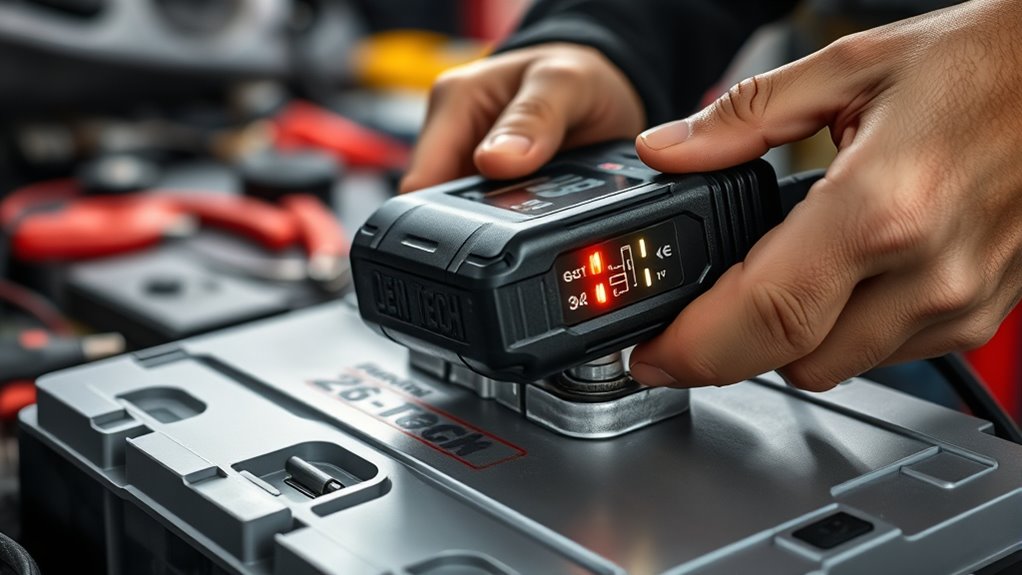
When you start charging your device, paying close attention to the indicator lights on your Cen Tech battery charger is essential. These lights help you understand the charging status and what each light means.
Typically, a steady red light means charging is in progress. When the process is complete, you’ll see a green light. If you notice a blinking light or an error indicator, it might signal a problem with the connection or the battery.
Here’s a quick rundown:
- Red light indicates charging is in progress.
- Green light shows charging is complete.
- A blinking light points to a connection issue or error.
- No light could mean the charger isn’t powered or is faulty.
- An amber or yellow light could warn you about battery temperature or other issues.
Knowing what these lights mean helps ensure you charge safely and effectively.
Check Charging Duration
Monitoring the charging duration is key to making sure your battery gets fully charged without overdoing it or risking damage. Keeping track of how long it takes helps keep the charging efficient and can help extend your battery’s lifespan.
Most Cen Tech chargers have indicators or timers that alert you when the battery is almost full. So, pay close attention to these signals to avoid overcharging.
A full charge usually takes a few hours, depending on the battery size and how much charge it had initially. Be careful not to unplug too early or leave the charger plugged in once the indicator shows it’s full. Properly tracking the charging time helps you get the most out of your battery and keeps it healthy over time.
Recognize Full Charge
Keeping an eye on your charger’s charge indicators is key to knowing when your battery is fully charged. These visual cues tell you when the charging process is complete, helping you avoid overcharging and potential damage.
When the charge indicator turns steady or changes color, it usually means the battery has reached its full capacity. Watching these signals ensures you’re not wasting energy or risking battery health.
Look for steady or changing charge indicator lights, and check the charger’s manual for specific color codes. Confirm that the battery’s voltage matches the full charge level to be sure.
Avoid disconnecting prematurely to prevent undercharging. Remember, a full charge means your battery has regained its maximum capacity.
Troubleshooting Common Charging Issues With the Cen Tech Charger
If your Cen Tech battery charger isn’t working properly, troubleshooting can help identify and fix common issues quickly.
A charging error might happen due to connection problems, so make sure all cables are securely connected and not damaged.
Check the cables for any signs of wear or fraying, as damaged cables can disrupt power flow.
It’s also important to verify that your batteries match the charger’s specifications to prevent voltage problems that could stop charging.
Refer to the user manual for specific instructions related to your model, especially if the problem persists.
Sometimes, a simple reset or cleaning the charging contacts can fix connection issues.
Following these tips—checking connections, inspecting cables, and ensuring battery compatibility—can save you time and frustration.
Regular maintenance like keeping the charger and contacts clean can also help prevent many common charging problems before they start.
Tips for Maintaining Your Batteries After Charging
After charging your batteries, proper maintenance helps ensure they stay in good shape and perform reliably over time. Focus on how you store and handle them after charging to get the best results.
Proper storage is key to keeping your batteries healthy and performing well. Store them in a cool, dry place away from direct sunlight and extreme temperatures. Avoid leaving batteries fully discharged or constantly at full charge, as this can shorten their lifespan.
Regularly check for signs of corrosion or damage, and clean the terminals if needed. Using smart storage strategies like partially charging batteries before long-term storage can help prevent capacity loss.
Also, try to avoid deep discharges often, since they put extra strain on the battery. Good maintenance not only extends your battery’s life but also makes sure you get the most out of your investment.
Follow these simple tips to keep your batteries in top shape for longer, so they stay reliable and ready when you need them.
Safety Tips for Using the Cen Tech Battery Charger
Using the Cen Tech battery charger safely is essential to prevent accidents and ensure your batteries charge effectively. Always wear appropriate safety gear, like gloves and goggles, to protect against sparks or acid leaks.
Make sure your work area is dry and well-ventilated to avoid hazards during charging. Never leave the charger unattended while in use, and double-check all connections before powering up.
Proper battery maintenance involves inspecting for corrosion and ensuring terminals are clean. Follow the manufacturer’s instructions strictly to avoid overcharging or damaging your batteries.
Here’s a quick safety reminder:
| Safety Gear | Precautions | Battery Maintenance |
|---|---|---|
| Gloves, goggles | Keep area dry and ventilated | Inspect for corrosion |
| Avoid sparks | Disconnect power before handling | Clean terminals regularly |
| Use in well-lit | Never leave unattended while charging | Check for leaks or damage |
| Follow instructions | Store charger safely when not in use | Maintain proper electrolyte levels |
How to Store and Care for Your Cen Tech Battery Charger
Proper storage and care are key to keeping your Cen Tech battery charger in top shape and extending its lifespan. Taking good care of it prevents damage and ensures it works reliably when you need it.
When you’re not using the charger, store it in a cool, dry place away from direct sunlight and moisture. Always unplug it from the power source before storing to avoid any electrical hazards.
Store in a cool, dry place away from sunlight and moisture; always unplug before storing.
Regularly check the cord and connections for signs of wear or damage and replace them if needed. Keep the charger clean by wiping it with a dry cloth—avoid harsh chemicals that could cause harm.
Try to avoid exposing the charger to extreme temperatures, which can impact battery maintenance and overall performance. Proper storage keeps your charger ready to go and working efficiently whenever you need it.
Frequently Asked Questions About the Cen Tech Battery Charger
Have questions about your Cen Tech battery charger? Many users wonder about compatibility with different battery types and how to get the most out of it.
The charger works well with lead-acid, AGM, and gel batteries, but always check your battery specifications first. To improve charging efficiency, make sure your connections are correct and avoid overloading the charger.
Here’s a quick breakdown:
| Question | Answer |
|---|---|
| Can I charge different battery types? | Yes, but double-check compatibility for the best results. |
| How long does charging take? | It depends on the battery size; usually a few hours. |
| Is there a safety feature? | Yes, it has auto shutoff to prevent overcharging. |
| What if the charger doesn’t turn on? | First, check your connections and power source. |
| How can I keep charging efficient? | Keep terminals clean and avoid deep discharges. |
Knowing these tips helps you get the most from your Cen Tech charger with various batteries, ensuring safe and efficient charging every time.
Frequently Asked Questions
Can I Charge Multiple Batteries Simultaneously With the Cen Tech Charger?
Yes, you can charge multiple batteries at the same time with the Cen Tech charger, but make sure to follow some basic tips. Check that each battery’s voltage and capacity match what the charger is designed to handle for safe and effective charging.
Be careful not to overload the charger and always keep an eye on the process. This way, you’ll ensure each battery charges properly without risking damage or safety issues during simultaneous charging.
What Types of Batteries Are Compatible With the Cen Tech Charger?
Like a skilled conductor, you’ll find the Cen Tech charger harmonizes with various batteries. It’s compatible with lead acid options and also supports lithium batteries, making your charging process versatile.
You can confidently connect different types of batteries, knowing the charger adapts to each. Whether you’re working with traditional lead acid or modern lithium, this charger simplifies your task, ensuring safe and efficient power restoration across your collection.
How Long Does a Typical Charging Cycle Take?
A typical charging cycle on the Cen Tech Battery Charger takes about 4 to 8 hours, depending on the battery’s capacity and current charge level.
You’ll notice the charging speed slows as the battery gets closer to full. This helps with battery maintenance.
To keep your battery in top shape, avoid overcharging. Unplug the charger once the indicator shows the battery is fully charged.
Is the Cen Tech Charger Suitable for Portable or Outdoor Use?
You might think the Cen Tech charger is perfect for portable power and outdoor use, but it’s mainly designed for indoor, stationary charging. While it’s reliable for home projects, its lack of rugged, weather-resistant features makes outdoor compatibility questionable.
If you need a charger for outdoor adventures, look for one specifically built for outdoor durability. For indoor, portable power needs, Cen Tech works well, but don’t expect it to handle harsh outdoor conditions.
Does the Charger Have Any Built-In Safety Features?
Yes, the Cen Tech battery charger has built-in safety features to protect you and your batteries. It includes safety protocols like overcharge protection, short circuit prevention, and thermal regulation.
To fully understand these features, you should check the user manual, which provides detailed safety instructions. These safety measures help ensure safe operation during charging, giving you peace of mind while keeping your batteries in good shape.
Conclusion
Now that you know how to use your Cen Tech battery charger step by step, you’re ready to keep your batteries powered and safe. Think of your charger as a trusty steed—care for it, and it’ll serve you well through countless charging adventures.
With proper use, safety, and maintenance, you’ll help ensure your batteries stay healthy and your projects never stall. Charge ahead confidently because your batteries are in good hands with your Cen Tech charger.